Understanding your website visitors’ behavior is crucial for online success. This guide delves into transforming your website analytics setup to gain actionable insights into user journeys, engagement levels, and pain points. By mastering the art of interpreting data from platforms like Google Analytics, you’ll unlock the power to optimize your website design, functionality, and overall user experience for improved conversion rates and business growth.
We’ll explore practical strategies for implementing effective tracking, analyzing key metrics, and using data-driven decisions to enhance your online presence.
From setting up event tracking and custom dimensions to interpreting bounce rates and session durations, we’ll cover the essential techniques for gathering and understanding valuable user behavior data. We will also explore advanced techniques like heatmaps and A/B testing, empowering you to make informed decisions about website improvements based on real user interactions.
Website Analytics Setup for User Behavior Tracking
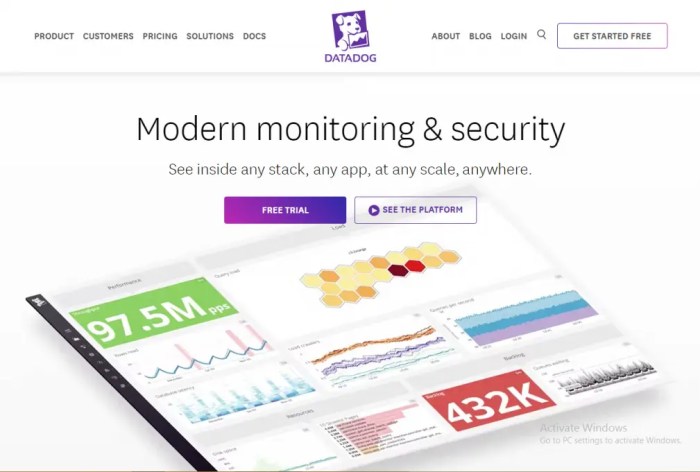
Understanding user behavior is crucial for website optimization. By tracking how users interact with your website, you can identify areas for improvement, enhance user experience, and ultimately boost conversions. This involves setting up the right analytics tools and configuring them to capture the relevant data.
Essential Website Analytics Tools
Several powerful analytics platforms provide robust tools for observing user interactions. These tools go beyond simple page view counts, offering insights into user journeys, engagement levels, and conversion paths. Choosing the right platform depends on your specific needs and technical capabilities. Popular options include Google Analytics, Matomo (formerly Piwik), and Adobe Analytics. Each offers a range of features to track user behavior, from basic page views to complex custom events.
They differ in their pricing models, technical complexity, and the depth of analysis they provide.
Implementing Event Tracking to Monitor Specific User Actions
Event tracking is a cornerstone of effective user behavior analysis. It allows you to monitor specific actions users take on your website beyond simple page views. For example, you can track button clicks, form submissions, video plays, or file downloads. Implementing event tracking typically involves adding small snippets of JavaScript code to your website. This code triggers an event whenever a specific action occurs, sending data to your analytics platform.
The data collected allows you to understand user engagement with specific elements of your website, pinpoint areas of friction, and optimize for conversions. For instance, tracking a “download” button click allows you to measure the effectiveness of your calls-to-action.
Configuring Custom Dimensions and Metrics to Capture Unique User Behavior Data
Custom dimensions and metrics extend the capabilities of standard analytics tracking. They allow you to capture unique data points relevant to your specific business needs. Custom dimensions categorize your data, adding context and granularity to your analysis. For example, you might create a custom dimension to track the user’s geographic location or the marketing campaign that brought them to your website.
Custom metrics, on the other hand, measure specific aspects of user behavior. This could be the number of videos watched, the time spent on a particular page, or the number of forms submitted. By combining custom dimensions and metrics, you can create a detailed picture of your users’ behavior, enabling more targeted optimization efforts. For example, combining a custom dimension (marketing campaign) with a custom metric (conversion rate) helps you determine the effectiveness of each campaign.
Comparison of Analytics Platforms
| Platform | Event Tracking Capabilities | Custom Dimension Support | Pricing Model |
|---|---|---|---|
| Google Analytics | Robust event tracking with advanced features like event parameters and custom events. | Extensive support for custom dimensions and metrics, allowing for highly granular data collection. | Freemium; free version with limitations, paid version for advanced features and higher data limits. |
| Matomo | Comprehensive event tracking capabilities, comparable to Google Analytics. | Supports custom dimensions and metrics, offering similar flexibility to Google Analytics. | Open-source and self-hosted; free to use but requires server infrastructure and maintenance. Paid options for hosting and support are available. |
| Adobe Analytics | Advanced event tracking with powerful segmentation and analysis capabilities. | Highly flexible custom dimension and metric support for detailed behavioral analysis. | Subscription-based; various pricing tiers based on features and data volume. Generally, more expensive than Google Analytics or Matomo. |
Interpreting Website Analytics Data to Understand User Journeys
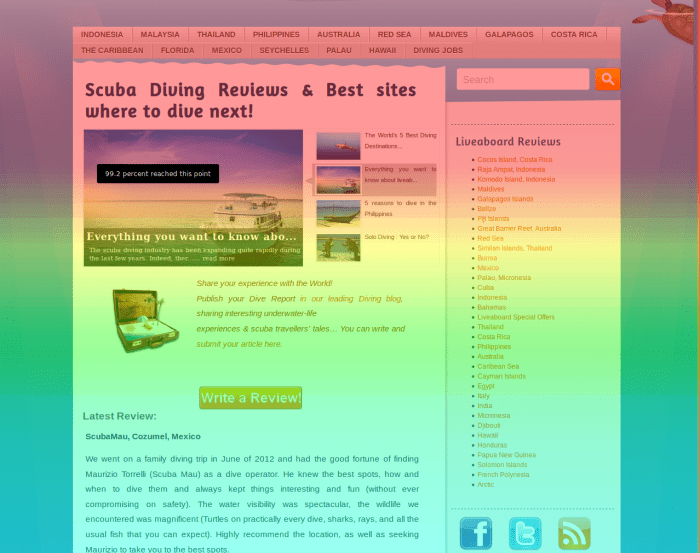
Understanding user behavior is crucial for website optimization. By analyzing website analytics data, we can gain valuable insights into how users interact with our site, allowing us to identify areas for improvement and ultimately enhance the user experience. This involves not only tracking data but also interpreting it effectively to understand the complete user journey.
Identifying Common User Pathways
Analyzing website analytics allows us to map the most frequent paths users take through our website. This involves examining the sequence of pages users visit during a session. Tools like Google Analytics provide features to visualize these pathways, often represented as flowcharts or diagrams. By identifying these common pathways, we can understand which content is most engaging and which areas might be confusing or difficult to navigate.
For instance, a high number of users navigating from the homepage to the “About Us” page and then exiting suggests a potential lack of compelling calls to action on the “About Us” page. Conversely, a high number of users progressing from a product page to a shopping cart indicates a successful conversion funnel.
Using Bounce Rate, Session Duration, and Page Views to Understand User Engagement
Key metrics like bounce rate, session duration, and page views provide valuable insights into user engagement. A high bounce rate (percentage of users who leave after viewing only one page) on a specific landing page suggests potential problems with content relevance or page design. A short average session duration might indicate a lack of engaging content or poor website navigation.
Conversely, a high number of page views per session generally signifies a high level of user engagement and interest in the website’s content. For example, a low bounce rate on a blog post with a long average session duration indicates highly engaging and valuable content.
Segmenting User Data to Identify Distinct Behavior Patterns
Segmenting user data allows for a more granular understanding of user behavior. By grouping users based on demographics, geographic location, device type, or other relevant factors, we can identify distinct behavior patterns within these segments. For instance, segmenting users by device type might reveal that mobile users have a significantly higher bounce rate than desktop users, indicating a need for mobile optimization.
Similarly, segmenting by geographic location could highlight regional differences in user preferences and behavior. This level of detail allows for targeted improvements based on specific user needs.
Visual Representation of a Typical User Journey Map
Imagine a flowchart. The starting point is the homepage, represented by a circle. From there, several arrows branch out, representing different paths users might take. One arrow leads to a “Products” page, another to a “Blog” page, and another to a “Contact Us” page. Each of these pages is represented by a square.
From the “Products” page, arrows lead to individual product pages, then potentially to a shopping cart and finally a checkout page. The checkout page is a key touchpoint, and any drop-off at this stage would be highlighted in red. Similarly, low engagement (indicated by low session duration or high bounce rate) on any page would be represented with a different color, perhaps orange.
This visual map helps to clearly show the typical user journeys, highlighting areas where users drop off or where engagement is low, allowing for focused improvements to the website design and content. For instance, a low conversion rate from the shopping cart to the checkout could indicate issues with the checkout process that need to be addressed.
Using Analytics to Improve Website Design and Functionality

Understanding user behavior goes beyond simply tracking visits; it’s about using that data to actively improve your website’s design and functionality. By analyzing user interactions, you can identify areas for improvement and optimize your website for a better user experience, ultimately leading to increased conversions and engagement. This section will explore how to leverage analytics to achieve these goals.
Heatmaps and Scroll Maps: Visualizing User Interaction
Heatmaps and scroll maps offer a powerful visual representation of user interaction on your web pages. Heatmaps use color gradients to show where users click, hover, or focus their attention. Warmer colors (e.g., red) indicate areas of high activity, while cooler colors (e.g., blue) represent less engagement. Scroll maps illustrate how far down a page users scroll, revealing whether content is being fully consumed or if users are abandoning the page prematurely.
By analyzing these visual representations, you can identify areas of high and low engagement, prompting design changes such as repositioning calls-to-action or improving the visual hierarchy of important content. For example, a heatmap might reveal that a crucial button is overlooked due to poor placement, while a scroll map could show that a significant portion of your landing page content is never viewed.
Key Performance Indicators (KPIs) for User Experience
Several key performance indicators directly reflect user experience and satisfaction. These metrics provide quantifiable data to assess the effectiveness of design and functionality changes. Bounce rate, which measures the percentage of visitors who leave your website after viewing only one page, is a crucial indicator. A high bounce rate often suggests issues with content relevance, site navigation, or overall user experience.
Average session duration, indicating how long users spend on your site, provides another valuable insight. A longer average session duration generally suggests higher engagement and satisfaction. Conversion rate, the percentage of visitors who complete a desired action (e.g., making a purchase, signing up for a newsletter), is the ultimate measure of success. By monitoring these KPIs, you can track the impact of website changes and make data-driven improvements.
A/B Testing Methodologies for Optimization
A/B testing is a crucial methodology for optimizing website elements based on user behavior data. This involves creating two versions of a webpage (A and B), each with a slightly different element (e.g., button color, headline text, image placement), and then randomly showing each version to different segments of your audience. By tracking the performance of each version using your chosen KPIs, you can determine which version performs better and implement the winning design.
For instance, you might A/B test two different calls-to-action buttons – one with a red background and one with a green background – to see which color drives more clicks. The results will provide concrete data to guide your design decisions. A robust A/B testing strategy requires careful planning, including defining clear hypotheses, selecting appropriate metrics, and ensuring statistically significant sample sizes.
Implementing Changes Based on User Behavior Insights
Implementing changes based on user behavior insights is an iterative process. A step-by-step approach ensures a structured and effective implementation.
- Identify Key Issues: Analyze your website analytics data (heatmaps, scroll maps, KPIs) to pinpoint specific areas needing improvement. For example, low conversion rates on a specific page or high bounce rates on your homepage.
- Formulate Hypotheses: Develop testable hypotheses about how specific changes might improve user experience and address the identified issues. For example, “Changing the button color from red to green will increase click-through rates.”
- Design and Implement Changes: Based on your hypotheses, design and implement the necessary changes to your website. This could involve redesigning a page, adjusting the placement of elements, or improving site navigation.
- Monitor and Measure Results: Track the impact of your changes using your chosen KPIs. A/B testing can be particularly useful here.
- Iterate and Refine: Based on the results, iterate on your changes. Continue to test and refine your website design and functionality until you achieve the desired outcomes. This iterative approach allows for continuous improvement.
Final Thoughts

By effectively leveraging website analytics, you can transform raw data into a powerful tool for understanding your audience. This understanding allows for targeted improvements in website design, content strategy, and user experience. The journey from setting up robust tracking to interpreting user behavior patterns and implementing data-driven changes is crucial for online success. Remember that continuous monitoring and iterative improvements based on ongoing analysis are key to achieving optimal results and maximizing your website’s potential.