Successfully transitioning your cloud computing expertise to manage on-premises infrastructure requires a strategic understanding of key differences and a willingness to adapt. This guide explores the crucial concepts, tools, and techniques necessary to bridge the gap between cloud-native skills and traditional infrastructure management. We’ll delve into practical strategies for migrating applications, implementing robust security measures, and leveraging automation to optimize your on-premises environment.
From comparing cloud-based monitoring to traditional methods to mastering infrastructure-as-code (IaC) for on-premises deployments, we’ll equip you with the knowledge to effectively manage both cloud and on-premises systems. This includes understanding capacity planning, backup and recovery strategies, and the nuances of various virtualization technologies in both environments. Ultimately, this guide aims to empower you to confidently manage hybrid infrastructure models, maximizing the benefits of both cloud and on-premises resources.
Bridging the Gap
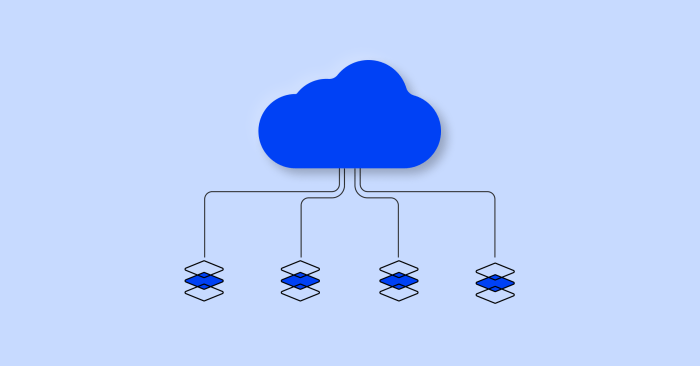
Transitioning your cloud computing expertise to managing on-premises infrastructure requires a nuanced understanding of how cloud-native practices translate to traditional environments. While seemingly disparate, many core principles remain relevant, demanding a shift in focus rather than a complete overhaul of your skillset. This section will explore this transition, focusing on practical applications and potential challenges.
Cloud Skills Applied to On-Premises Infrastructure
Cloud-native skills, such as those gained through experience with serverless architectures and containerization, offer valuable insights into managing on-premises infrastructure. Serverless functions, for instance, highlight the importance of efficient resource allocation and automation, which are equally crucial in on-premises environments. Similarly, the principles of containerization—encapsulation, portability, and orchestration—directly apply to managing and deploying applications on physical servers, though the underlying infrastructure differs.
The key is to adapt the
- principles* learned in the cloud to the
- specifics* of on-premises management. Understanding the underlying infrastructure (hardware, networking, storage) becomes paramount in this context, a skill often less emphasized in purely cloud-based roles.
Comparison of Cloud and Traditional Monitoring
Cloud-based monitoring tools typically offer a unified, centralized view of application performance and infrastructure health, often leveraging sophisticated analytics and machine learning. They frequently provide dashboards with real-time metrics, automated alerts, and integrated logging. Traditional infrastructure monitoring, in contrast, often relies on a collection of disparate tools, each monitoring a specific aspect of the system (e.g., server CPU utilization, network bandwidth, storage capacity).
This often requires more manual intervention for data aggregation and analysis. While cloud monitoring excels in scalability and automation, on-premises monitoring requires a more hands-on approach, focusing on integrating diverse tools and establishing effective alerting systems. The key difference lies in the level of automation and integration. Cloud solutions offer a higher degree of automation, while on-premises solutions often necessitate manual configuration and integration.
Migrating a Cloud Application to On-Premises
Migrating a cloud-based application to an on-premises environment requires a structured approach. The following steps Artikel a typical migration process:
1. Assessment
Thoroughly analyze the application’s architecture, dependencies, and resource requirements.
2. Planning
Develop a detailed migration plan, outlining the steps involved, timelines, and potential risks.
3. Infrastructure Setup
Provision the necessary on-premises hardware and software, configuring networking, storage, and security accordingly.
4. Application Deployment
Deploy the application to the on-premises environment, ensuring compatibility and functionality.
5. Testing and Validation
Rigorously test the application to ensure its performance and stability meet the required standards.
6. Monitoring and Optimization
Implement monitoring tools and procedures to track performance and identify areas for optimization.
| Feature | Cloud | On-Premises | Differences |
|---|---|---|---|
| Scalability | Highly scalable, easily adjustable resources | Limited scalability, requires upfront planning and potential hardware upgrades | Cloud offers dynamic scalability; on-premises requires proactive capacity planning. |
| Cost | Pay-as-you-go model, potentially lower upfront costs | Higher upfront capital expenditure for hardware and software | Cloud offers operational flexibility, but on-premises incurs significant initial investment. |
| Maintenance | Vendor-managed infrastructure, reduced maintenance overhead | Requires in-house IT staff for maintenance and troubleshooting | Cloud shifts maintenance responsibility to the provider; on-premises requires dedicated IT resources. |
| Security | Shared responsibility model, security measures shared between vendor and user | Full responsibility for security rests with the organization | Cloud providers handle some security aspects, while on-premises security is entirely the organization’s responsibility. |
Infrastructure Security in Cloud and On-Premises Environments
Managing infrastructure security in both cloud and on-premises environments requires a multi-layered approach. In cloud environments, the shared responsibility model dictates that the cloud provider is responsible for the security
- of* the cloud, while the customer is responsible for security
- in* the cloud. This means implementing robust access controls, data encryption, and regular security audits. On-premises environments require a more comprehensive approach, encompassing physical security (e.g., data center access control), network security (firewalls, intrusion detection systems), and application security (secure coding practices, vulnerability scanning). Best practices include implementing strong authentication mechanisms, regular security patching, and intrusion detection/prevention systems in both environments.
However, the level of control and responsibility differs significantly, demanding different skill sets and approaches. For example, patching in a cloud environment might involve updating software via a vendor-provided mechanism, whereas on-premises patching requires direct intervention on individual servers.
Essential Infrastructure Management Concepts for Cloud Professionals
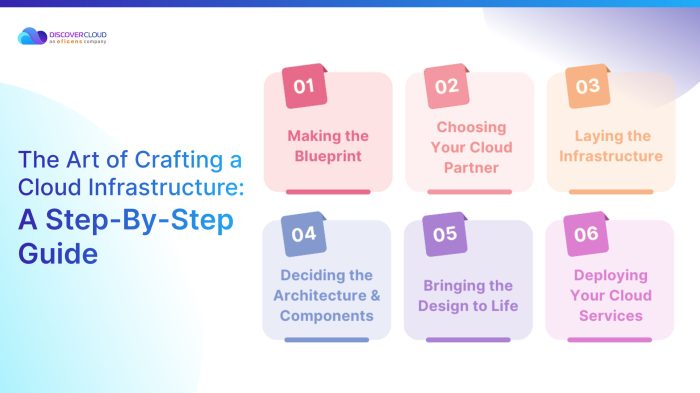
Transitioning from cloud-focused roles to managing broader infrastructure requires a solid grasp of core concepts applicable to both cloud and on-premises environments. This section will delve into crucial aspects of infrastructure management, highlighting key differences and similarities between cloud and on-premises approaches.
Effective infrastructure management hinges on several key pillars, including automation, capacity planning, robust backup and recovery strategies, and a thorough understanding of virtualization technologies. Mastering these areas allows for efficient resource utilization, minimized downtime, and enhanced operational agility, regardless of whether the infrastructure resides in a cloud or on-premises data center.
Automation in Infrastructure Management
Automation is paramount for efficient infrastructure management. Manual processes are time-consuming, error-prone, and struggle to scale. Automating tasks frees up IT staff to focus on strategic initiatives. In cloud environments, tools like Terraform, Ansible, and CloudFormation enable infrastructure-as-code (IaC), allowing for the automated provisioning, configuration, and management of resources. On-premises, Ansible, Chef, and Puppet offer similar capabilities, automating tasks such as server provisioning, software deployments, and configuration management.
For example, Ansible can automate the deployment of a web server across multiple on-premises machines, ensuring consistent configurations and reducing manual intervention. Similarly, Terraform can automate the creation of a virtual network and associated resources within a cloud provider’s environment.
Capacity Planning and Resource Allocation
Capacity planning and resource allocation differ significantly between on-premises and cloud environments. On-premises, this involves forecasting future needs based on historical data, projected growth, and application requirements. It requires careful consideration of hardware limitations, physical space constraints, and power consumption. Resource allocation involves assigning specific hardware resources (CPU, memory, storage) to applications and virtual machines. Cloud environments offer greater flexibility.
Instead of predicting and provisioning hardware upfront, cloud resources are often provisioned on-demand, scaling up or down based on actual needs. Auto-scaling features automatically adjust resources based on real-time usage patterns, eliminating the need for precise capacity forecasting. For example, an e-commerce website might automatically scale up its computing resources during peak shopping hours and scale down during off-peak times.
This dynamic allocation contrasts sharply with the static nature of on-premises resource allocation.
Implementing a Robust Backup and Recovery Strategy
A robust backup and recovery strategy is crucial for business continuity. For on-premises systems, a comprehensive plan should include the following:
- Regular Backups: Implement a schedule for regular backups of critical data, applications, and system configurations. Consider using a 3-2-1 backup strategy (3 copies of data, on 2 different media types, with 1 offsite copy).
- Backup Verification: Regularly test backups to ensure data integrity and recoverability.
- Disaster Recovery Plan: Define procedures for recovering systems and data in the event of a disaster (e.g., natural disaster, hardware failure). This should include a plan for restoring systems to an alternate site.
- Data Retention Policy: Establish a policy for how long backups are retained.
- Security Considerations: Encrypt backups to protect sensitive data.
Cloud-based backup solutions offer similar functionality, often with added benefits like automated backups, offsite storage, and simplified recovery processes. Services like AWS Backup, Azure Backup, and Google Cloud Backup provide scalable and secure backup and recovery capabilities. The key difference lies in the management overhead – cloud solutions often require less manual intervention.
Comparison of Virtualization Technologies
Virtualization is central to both on-premises and cloud infrastructure. On-premises, VMware vSphere and Microsoft Hyper-V are dominant virtualization platforms, allowing multiple virtual machines to run on a single physical server. In cloud environments, providers offer their own virtualization technologies, often based on open-source solutions like KVM or Xen. While the underlying technologies may differ, the core concepts remain the same: abstracting physical hardware to create virtual machines.
Key differences lie in management interfaces and scalability. Cloud providers typically offer more automated management tools and easier scalability compared to on-premises solutions. For instance, spinning up a new virtual machine in a cloud environment is often a matter of a few clicks, whereas on-premises deployment may involve more manual configuration and hardware provisioning.
Advanced Infrastructure Management Techniques Leveraging Cloud Expertise

Cloud expertise, traditionally focused on dynamic, scalable environments, offers significant advantages when applied to on-premises infrastructure management. By adopting cloud-native practices and tools, organizations can streamline operations, enhance efficiency, and improve overall infrastructure reliability, even in traditional data centers. This section explores advanced techniques that bridge the gap between cloud and on-premises management.
Applying Cloud-Based DevOps Practices to On-Premises Infrastructure
The core principles of DevOps—automation, continuous integration/continuous delivery (CI/CD), and infrastructure as code (IaC)—are not limited to cloud environments. Implementing these practices on-premises improves operational efficiency and reduces manual intervention. Automation of tasks like provisioning, configuration, and patching minimizes human error and speeds up deployment cycles. CI/CD pipelines enable faster releases and quicker responses to changing business needs, even within the constraints of an on-premises infrastructure.
This approach promotes a more agile and responsive IT operation, mirroring the speed and flexibility of cloud-based systems.
Key Performance Indicators (KPIs) for Infrastructure Management
Effective infrastructure management requires a robust system for measuring success. Key Performance Indicators (KPIs) provide quantifiable metrics to assess the performance of both cloud and on-premises infrastructure. For on-premises environments, relevant KPIs might include server uptime, application response times, storage utilization rates, and mean time to resolution (MTTR) for incidents. Cloud-based metrics might include cost optimization, resource utilization, and application availability.
Comparing these metrics across different environments allows for informed decision-making and continuous improvement. A well-defined set of KPIs ensures that infrastructure management efforts align with overall business goals and allows for objective evaluation of progress.
Infrastructure-as-Code (IaC) Script for On-Premises VM Provisioning
The following example demonstrates provisioning a virtual machine (VM) in an on-premises environment using Terraform, a popular IaC tool. This script assumes you have a pre-configured Terraform environment and access to your on-premises virtualization platform (e.g., VMware vSphere, Hyper-V). Remember to replace placeholders like `your_provider_address`, `your_username`, and `your_password` with your actual credentials.“`terraformterraform required_providers null = source = “hashicorp/null” version = “~> 3.0” vsphere = source = “hashicorp/vsphere” version = “~> 2.0” provider “vsphere” user = “your_username” password = “your_password” vcenter_url = “your_provider_address”resource “vsphere_virtual_machine” “vm” name = “onprem-vm” resource_pool_id = “your_resource_pool_id” datastore_id = “your_datastore_id” num_cpus = 2 memory_size_mb = 4096 guest_id = “ubuntu64Guest” # Add network configuration, disk configuration etc.
here“`This Terraform script defines the desired state of the VM. Running `terraform apply` will provision the VM according to the specifications. This exemplifies how IaC principles, commonly used in cloud environments, can be effectively applied to on-premises infrastructure for repeatable and reliable provisioning.
Case Study: Transition to a Hybrid Infrastructure Model
Company X, initially heavily reliant on a public cloud infrastructure, decided to incorporate on-premises resources to address specific latency requirements and data sovereignty concerns. The transition involved a phased approach:
- Assessment and Planning: A thorough assessment identified applications with stringent latency needs or sensitive data that were better suited for an on-premises environment.
- Infrastructure Setup: On-premises infrastructure was established, including servers, networking equipment, and storage, adhering to security best practices.
- Application Migration: Applications were migrated strategically, prioritizing those with the most compelling reasons for on-premises deployment.
- Hybrid Cloud Integration: A robust hybrid cloud strategy was implemented, allowing seamless communication and data exchange between the cloud and on-premises environments.
- Monitoring and Management: A unified monitoring and management system was implemented to oversee both cloud and on-premises resources.
The business impact included:
- Improved Application Performance: Reduced latency for latency-sensitive applications.
- Enhanced Security: Better control over sensitive data residing on-premises.
- Cost Optimization: Optimized resource allocation across cloud and on-premises environments.
- Increased Flexibility: Ability to leverage the strengths of both cloud and on-premises environments.
Outcome Summary
Mastering on-premises infrastructure management while leveraging your existing cloud skills is achievable with a focused approach. By understanding the core concepts, adopting suitable automation tools, and implementing robust security measures, you can successfully navigate the complexities of managing both cloud and on-premises environments. This guide has provided a roadmap for this transition, equipping you with the knowledge to efficiently manage and optimize your hybrid infrastructure.
The key lies in recognizing the parallels and differences between these environments and strategically applying your cloud expertise to enhance your on-premises operations.