Expressing your feelings has never been easier! Your WhatsApp status is a mini-window into your current emotional landscape, a quick and simple way to let your contacts know how you’re feeling without lengthy explanations. This guide will show you how to craft compelling, concise status updates that accurately reflect your mood, from pure joy to quiet contemplation, using text, emojis, and clever phrasing.
We’ll cover everything from choosing the right words and emojis to optimizing your privacy settings, ensuring your status perfectly conveys your message.
We’ll explore various mood categories, offering examples and practical tips for expressing a wide range of emotions, including those that are more nuanced or complex. Learn how to leverage humor, brevity, and the strategic use of emojis to create statuses that are both effective and engaging. We’ll also provide a step-by-step guide for updating your status on both Android and iOS devices, along with troubleshooting tips for common problems.
Choosing the Right Status Update to Match Your Mood
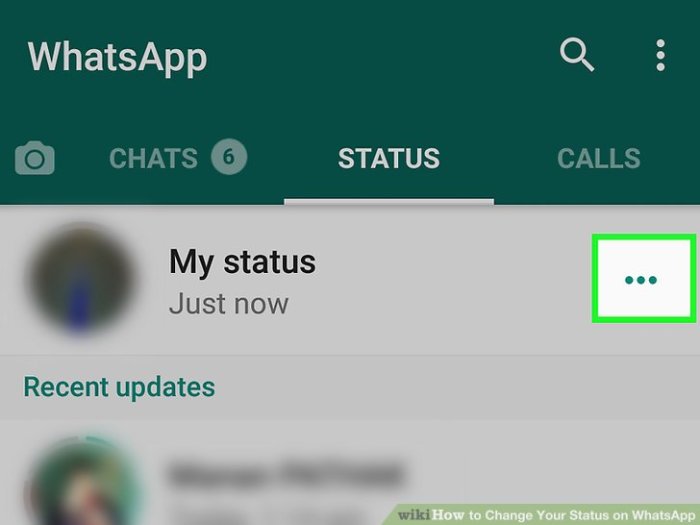
Your WhatsApp status is a quick and easy way to share your current vibe with your contacts. Choosing the right words and emojis can effectively communicate your emotional state, fostering better understanding and connection. This section will guide you through selecting appropriate status updates to reflect your mood accurately.
Mood Categories and Status Examples
Matching your WhatsApp status to your mood involves understanding the nuances of your feelings and translating them into concise and impactful messages. Below are five common mood categories with corresponding status examples.
| Mood | Status Text Example | Emoji Suggestions | Potential Audience Response |
|---|---|---|---|
| Happy | Sunshine and good vibes only! ☀️ | ☀️😊😄 | Positive engagement, comments expressing happiness. |
| Sad | Feeling a little down today 😔 | 😔😢😞 | Offers of support, understanding comments. |
| Angry | 😡 Need some space right now. | 😡🤬😠 | Respectful distance, possibly delayed responses. |
| Calm | Enjoying some peaceful moments 😌 | 😌🧘♀️🌿 | Positive vibes, peaceful interactions. |
| Busy | Heads down, working hard! 💻 | 💻💪💼 | Understanding, possibly delayed responses. |
Effective Use of Emojis
Emojis are powerful tools for enhancing the emotional impact of your WhatsApp status. They add visual context and can amplify the message you’re trying to convey. For example, using a laughing emoji 😂 alongside a funny status makes the humor more apparent. Conversely, a sad emoji 😢 paired with a thoughtful status reinforces the emotional tone. Choose emojis that genuinely reflect your mood; avoid using emojis that contradict your written message.
Expressing Complex Emotions
Expressing complex emotions like bittersweetness or being overwhelmed can be challenging within the confines of a WhatsApp status. However, with creativity and concise wording, it is possible.
- Bittersweet: “Moving on, but with a touch of nostalgia. bittersweet memories.” This uses the word bittersweet to convey the emotion directly.
- Overwhelmed: “Brain overload! 🤯 Taking a break.” The emoji amplifies the feeling of being overwhelmed.
- Exhausted but content: “Completely drained but happy with how my day went! ✨😴” This uses both emojis and text to convey the two contrasting aspects of the mood.
Crafting Engaging and Concise WhatsApp Status Updates
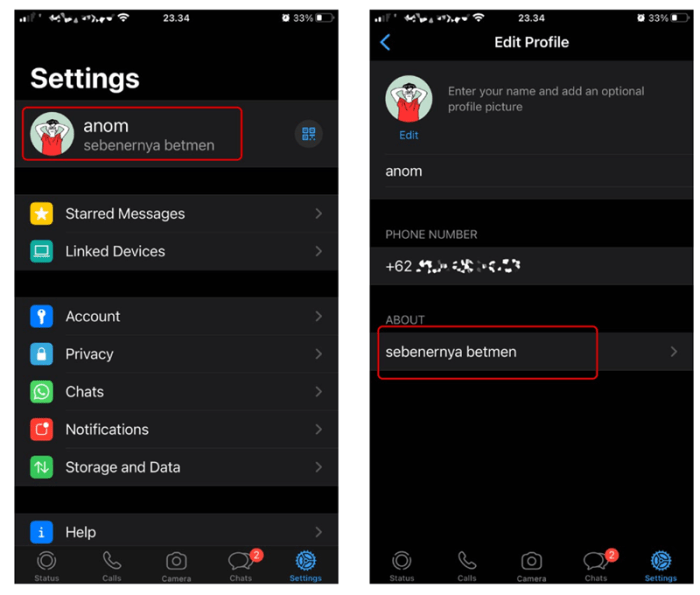
Crafting the perfect WhatsApp status requires a delicate balance: expressing your mood authentically while keeping it short, sweet, and engaging. A well-crafted status can be a quick way to share your emotional landscape with your contacts, prompting reactions and conversations. This section will explore strategies for creating concise and captivating updates that effectively communicate your feelings.
Examples of Humorous WhatsApp Statuses
Humor is a powerful tool for conveying emotions in a lighthearted way. The following examples illustrate how humor can reflect different moods:
- Mood: Tired: “Running on caffeine and willpower… mostly caffeine.” This relatable statement uses humor to acknowledge exhaustion without being overly negative.
- Mood: Overwhelmed: “My to-do list is longer than my arm, and my arm is pretty long.” This humorous exaggeration creates a lighthearted contrast to the feeling of being overwhelmed.
- Mood: Annoyed: “Is it Friday yet? Asking for a friend… who is me.” This playful question subtly conveys frustration about the week’s length.
- Mood: Happy: “Currently accepting applications for someone to bring me pizza and a nap.” This humorous request expresses happiness and contentment in a relatable way.
- Mood: Sarcastic: “Just another day in paradise… said no one ever.” This uses sarcasm to highlight a contrary sentiment, suggesting the day is anything but perfect.
Brevity and Clarity in WhatsApp Statuses
Brevity is key when it comes to WhatsApp statuses. The limited character count necessitates a focus on concise language and clear emotional expression. Avoid overly long sentences or complicated phrasing. Clarity ensures your intended mood is easily understood. Ambiguity can lead to misinterpretations and dilute the impact of your message.
The goal is to communicate your emotional state effectively in as few words as possible. Think of it like a miniature haiku of your emotional landscape.
Text-Only vs. Text-and-Emoji Statuses
Text-only statuses offer a clean, minimalist approach. They allow for more nuanced expression, relying on word choice and tone to convey the desired mood. However, emojis add a visual element that can enhance the impact of your message. They can amplify the emotion, adding a layer of visual reinforcement to the text. For example, a simple “Happy!” is amplified by adding a smiley face emoji.
The choice between text-only and text-and-emoji depends on your personal preference and the specific emotion you want to express. Sometimes, a simple text-only status conveys the emotion more effectively, while other times, emojis provide a more impactful visual representation.
WhatsApp Statuses Reflecting Different Emotional Intensities
Here are three examples of WhatsApp statuses reflecting varying degrees of happiness:
- Mildly Happy: “Feeling pretty good today 😊” – A simple statement, enhanced by a subtly happy emoji.
- Moderately Happy: “Sunshine and good vibes only! ☀️😎” – Uses descriptive words and emojis to communicate a higher level of happiness.
- Extremely Happy: “On cloud nine! 🤩🎉 Best day ever!” – Emphatic language and celebratory emojis express intense joy.
Updating Your WhatsApp Status and Privacy Settings

Successfully updating your WhatsApp status involves navigating the app’s interface and configuring privacy settings to control who sees your updates. This process is largely similar across Android and iOS, though minor interface differences exist. Understanding privacy options allows for personalized control over your status visibility.
Changing WhatsApp Status on Android and iOS
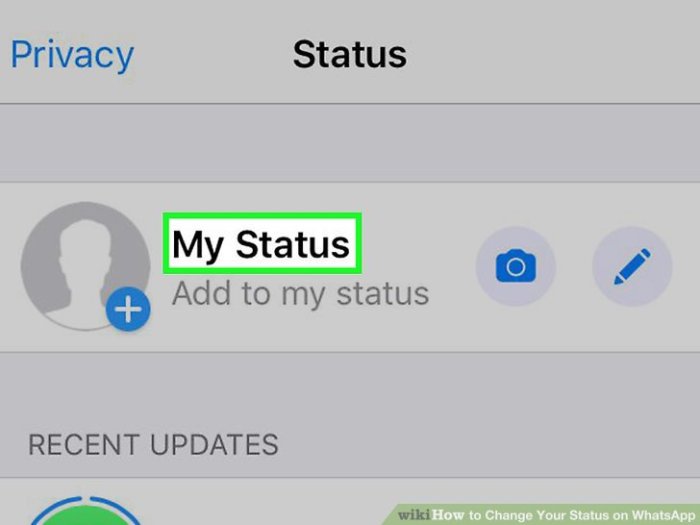
To change your WhatsApp status, open the app and tap your profile picture located in the top right corner (Android) or top left corner (iOS). On both platforms, you’ll then find the “Status” tab. Tap this tab. To create a new status, tap the pencil icon or “+” symbol (depending on your version). You can then select a photo or video from your gallery, or record a new one.
You can also add text to your media. Once satisfied, tap the arrow or “Send” button to post your status. Removing a status is equally straightforward: Locate the status you wish to remove and tap the three vertical dots (Android) or the trash can icon (iOS) and select “Delete.”
WhatsApp Status Privacy Options
WhatsApp offers several privacy settings to control who can view your status updates. These settings are accessed through the WhatsApp Settings menu. On both Android and iOS, navigate to Settings > Privacy > Status. Here, you can choose from three options: “My contacts,” “My contacts except…”, and “Only share with…”. “My contacts” allows all your contacts to see your status updates.
“My contacts except…” lets you specifically exclude certain contacts from viewing your status. “Only share with…” allows you to select specific contacts who can view your status. These settings provide granular control, ensuring you share your status only with intended viewers.
Troubleshooting WhatsApp Status Update Problems
Certain issues might arise when updating your WhatsApp status. These can often be resolved through simple troubleshooting steps.
- Status not appearing: This could be due to poor internet connectivity. Ensure you have a stable internet connection (Wi-Fi or mobile data). Also, check if your WhatsApp app is up to date. Outdated apps may have bugs affecting status updates. A restart of your phone might also resolve temporary glitches.
- Status not updating: If your status isn’t updating, try clearing the cache and data of the WhatsApp app. This can often resolve issues caused by corrupted data. On Android, this is usually found under Settings > Apps > WhatsApp. On iOS, clearing the cache is less straightforward and often involves reinstalling the app. Another possibility is that your phone’s storage is full; free up some space and try again.
- Status showing incorrect privacy settings: Verify that your privacy settings are correctly configured in the WhatsApp Settings > Privacy > Status menu. Ensure the selected option aligns with your desired audience. If problems persist after checking these settings, consider reinstalling the app as a last resort.
Conclusion
Mastering the art of the WhatsApp status update is about more than just sharing your current mood; it’s about crafting a concise and engaging message that resonates with your contacts. By thoughtfully choosing your words, emojis, and privacy settings, you can effectively communicate your emotional state and create a more personal connection with your network. Remember, brevity and clarity are key – let your status speak volumes with minimal effort.
Experiment with different styles and find what best reflects your personality and allows you to share your emotional journey in a meaningful way.