In today’s digital landscape, safeguarding your online presence is paramount. Cyber threats are ever-evolving, making robust security measures essential for protecting your personal information and devices. This guide provides a practical approach to enhancing your security posture, focusing on password management, software updates, and safe online practices. Understanding these key areas empowers you to navigate the digital world with increased confidence and reduced risk.
From strengthening your passwords and enabling two-factor authentication to updating software and recognizing phishing attempts, we will cover the essential steps to fortify your defenses against cyberattacks. This guide is designed to be accessible and informative, providing clear instructions and practical advice for users of all technical skill levels.
Password Management and Authentication
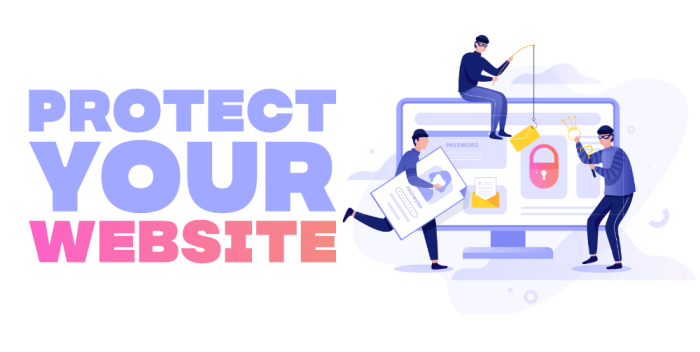
Robust password management and multi-factor authentication are cornerstones of a comprehensive security strategy. Failing to secure these aspects leaves your accounts vulnerable to unauthorized access, potentially leading to identity theft, financial loss, and reputational damage. This section details best practices for securing your accounts.
Strong, unique passwords, coupled with multi-factor authentication (MFA), significantly reduce the risk of successful hacking attempts. Password managers help streamline this process, allowing you to generate and securely store complex passwords across various platforms.
Strong Passwords and Password Managers
Creating strong passwords involves several key considerations. A strong password should be long (at least 12 characters), include a mix of uppercase and lowercase letters, numbers, and symbols, and avoid easily guessable patterns like names, birthdays, or common words. Password managers generate such passwords automatically and securely store them, eliminating the need to remember numerous complex combinations. They often offer additional features like password audits, helping you identify and improve weak passwords across your accounts.
Enabling Two-Factor Authentication (2FA)
Two-factor authentication adds an extra layer of security by requiring a second form of verification beyond your password. This typically involves a code sent to your phone via SMS, an authenticator app (like Google Authenticator or Authy), or a security key. Enabling 2FA is crucial for protecting your accounts even if your password is compromised.
Here’s a step-by-step guide for enabling 2FA on various platforms:
- Email: Most email providers (Gmail, Outlook, Yahoo) have 2FA options within their account settings. Generally, you’ll find a section labeled “Security,” “Account Security,” or similar. Follow the provider’s instructions to enable 2FA, usually involving the addition of a phone number and the generation of verification codes.
- Social Media: Platforms like Facebook, Twitter, and Instagram also offer 2FA. Look for settings related to “Security and Login,” “Security,” or “Privacy and Security.” The process is similar to email, involving the addition of a phone number or authenticator app.
- Banking: Your bank’s online banking portal should have a security section where you can enable 2FA. This might involve a mobile app, security token, or SMS codes. Contact your bank’s customer support if you need assistance.
Best Practices for Password Selection
Choosing secure passwords is vital for preventing unauthorized access. Follow these guidelines:
- Length: Aim for at least 12 characters. Longer passwords are exponentially harder to crack.
- Character Types: Include uppercase and lowercase letters, numbers, and symbols (!@#$%^&*). This increases the complexity of the password.
- Avoid Patterns: Don’t use easily guessable patterns like sequential numbers (12345), common words, or personal information (birthdays, pet names).
- Uniqueness: Use a different password for each account. If one account is compromised, the attacker won’t gain access to others.
Password Manager Comparison
Choosing a reputable password manager is crucial for secure password storage and management. Here’s a comparison of some popular options:
| Name | Features | Security Protocols | Pricing |
|---|---|---|---|
| LastPass | Password generation, storage, sharing, multi-factor authentication, browser extensions | AES-256 encryption, zero-knowledge architecture | Free and paid plans |
| 1Password | Password generation, storage, sharing, secure note storage, family sharing | AES-256 encryption, zero-knowledge architecture | Paid subscription |
| Bitwarden | Password generation, storage, sharing, open-source, multi-platform support | AES-256 encryption, zero-knowledge architecture | Free and paid plans |
| Dashlane | Password generation, storage, sharing, identity theft monitoring, VPN | AES-256 encryption, zero-knowledge architecture | Paid subscription |
Software and Device Security
Maintaining up-to-date software and employing robust security measures on your devices are crucial for preventing hacking attempts. Outdated software presents significant vulnerabilities that cybercriminals actively exploit. Regular updates patch these vulnerabilities, minimizing your risk. Similarly, strong device security practices significantly reduce the likelihood of unauthorized access.Regular updates to your operating systems and applications are essential for maintaining a secure digital environment.
These updates often include critical security patches that address known vulnerabilities, preventing malicious actors from exploiting weaknesses in your software. Neglecting these updates leaves your systems exposed to malware, data breaches, and other cyber threats. For example, failing to update your web browser could expose you to phishing attacks or drive-by downloads of malware. Similarly, neglecting updates to your operating system might leave critical system vulnerabilities open to exploitation.
Operating System and Application Updates
The process of updating your operating systems and applications is generally straightforward. Most operating systems (Windows, macOS, Linux, iOS, Android) provide automatic update features. Activating these features ensures your systems are consistently updated with the latest security patches. For applications, check each application’s settings for update options. Many applications also provide automatic update features.
If automatic updates are not enabled, you should periodically check for and install updates manually. Ignoring update notifications can leave your systems vulnerable to various attacks. It is crucial to prioritize installing updates promptly after their release to minimize your exposure to potential threats.
Risks of Outdated Software
Using outdated software significantly increases your risk of cyberattacks. Older software versions often contain known vulnerabilities that have been patched in newer versions. These vulnerabilities can be exploited by malware to gain unauthorized access to your system, steal your data, or install ransomware. For example, older versions of Adobe Flash Player were notorious for security vulnerabilities, making systems using them highly susceptible to attacks.
The consequences of using outdated software can range from minor inconveniences to significant financial losses and reputational damage. Therefore, maintaining up-to-date software is a fundamental aspect of cybersecurity.
Antivirus and Anti-malware Software
Installing and regularly updating antivirus and anti-malware software is a critical layer of defense against cyber threats. These programs scan your system for malicious software, remove existing threats, and prevent future infections. Regular updates are crucial as new malware is constantly emerging. These updates provide the software with the latest definitions of malware, enabling it to detect and neutralize new threats effectively.
Many reputable antivirus and anti-malware programs offer free versions with essential protection features. Consider investing in a paid version for enhanced features and support if your needs warrant it. Choosing a well-reputed vendor ensures reliable protection and timely updates.
Mobile Device Security Best Practices
Implementing strong security measures on your mobile devices is crucial due to their increasing role in our daily lives and the sensitive data they often contain. Neglecting these measures significantly increases your vulnerability to theft, data breaches, and other security risks.
- Enable a strong screen lock: Use a complex passcode, biometric authentication (fingerprint, facial recognition), or a pattern lock to prevent unauthorized access to your device.
- Utilize remote wipe features: Familiarize yourself with the remote wipe functionality offered by your device’s operating system. This allows you to remotely erase your device’s data if it’s lost or stolen.
- Carefully manage app permissions: Review and restrict the permissions granted to each app on your device. Only grant necessary permissions to avoid unnecessary data access.
- Install a mobile security app: Consider installing a reputable mobile security app that provides features such as anti-malware protection, data encryption, and anti-theft capabilities.
- Keep your software updated: Regularly update your device’s operating system and apps to benefit from the latest security patches and performance improvements.
- Be cautious about public Wi-Fi: Avoid accessing sensitive information (banking, emails) on public Wi-Fi networks, as they are often unsecured.
Network and Online Privacy

Protecting your network and online privacy is crucial in today’s digital landscape. A multi-layered approach, encompassing secure passwords and updated software, extends to understanding and mitigating online threats like phishing and employing tools such as VPNs and firewalls. This section details practical strategies for enhancing your online security and safeguarding your personal information.
Phishing Scams and Techniques
Phishing is a prevalent method used by cybercriminals to acquire sensitive information, such as usernames, passwords, and credit card details. These scams often involve deceptive emails, text messages, or websites designed to mimic legitimate organizations. Understanding common tactics helps individuals effectively identify and avoid these threats.
Common phishing techniques include:
- Spoofing legitimate websites: Phishing websites often closely resemble genuine sites, using similar logos, domain names, and layouts to deceive users.
- Urgency and fear tactics: Phishing messages often create a sense of urgency, warning of account suspension, compromised security, or other critical issues, pressuring users to act quickly without thinking critically.
- Impersonating trusted entities: Cybercriminals frequently impersonate banks, government agencies, or popular online services to gain credibility and increase the likelihood of successful attacks.
- Malicious attachments and links: Emails may contain malicious attachments or links that download malware onto a user’s device upon interaction.
VPN Types and Their Impact on Security and Privacy
Virtual Private Networks (VPNs) encrypt internet traffic and mask a user’s IP address, enhancing online security and privacy. Different VPN types offer varying levels of security and anonymity.
Key VPN types include:
- Personal VPNs: These are typically subscription-based services designed for individual users, offering encryption and IP masking for enhanced privacy while browsing.
- Business VPNs: Used by organizations to secure internal networks and allow remote access, these offer robust security features and often include advanced management tools.
- Free VPNs: While offering a seemingly cost-effective solution, free VPNs often come with limitations in terms of speed, security, and privacy, sometimes even compromising user data.
Choosing a reputable VPN provider is crucial, as some may log user activity or have weak security protocols. A robust VPN significantly improves online security by encrypting data transmitted between the user’s device and the VPN server, making it difficult for third parties to intercept or monitor online activity.
Firewall Configuration for Network Protection
A firewall acts as a barrier between a computer or network and external networks, preventing unauthorized access. Proper configuration ensures effective protection against malicious network traffic.
Configuring a firewall involves specifying which network traffic is allowed and blocked. This typically includes:
- Defining allowed ports: Specifying which ports are open for incoming and outgoing connections. For example, opening port 80 for web traffic (HTTP) but blocking other potentially vulnerable ports.
- Setting up rules for specific applications: Allowing or blocking specific applications based on their security risk. For instance, allowing access for trusted applications but blocking potentially malicious ones.
- Implementing intrusion detection and prevention: Using features to detect and block malicious network activity, such as denial-of-service attacks.
Most operating systems include built-in firewall software with user-friendly interfaces for configuration. It’s essential to keep the firewall enabled and regularly review its settings to ensure optimal protection.
Recognizing and Avoiding Suspicious Websites and Email Attachments
Identifying and avoiding suspicious websites and email attachments is vital in preventing malware infections and data breaches. A cautious approach helps minimize the risk of falling victim to online threats.
Warning signs of suspicious websites and email attachments include:
Poor grammar and spelling in emails or website content.
Unexpected or unsolicited emails from unknown senders.
Requests for personal information, such as passwords or credit card details, in emails or on websites.
Unusual or overly urgent requests.
Website URLs that look suspicious or contain misspellings.
Emails or websites with generic greetings, such as “Dear Customer” instead of your name.
Attachments with unexpected file extensions or from unknown senders.
Always exercise caution when clicking on links or opening attachments from unknown sources. Verify the sender’s identity and legitimacy before interacting with any email or website. Use reputable antivirus software to scan attachments before opening them.
Closing Notes
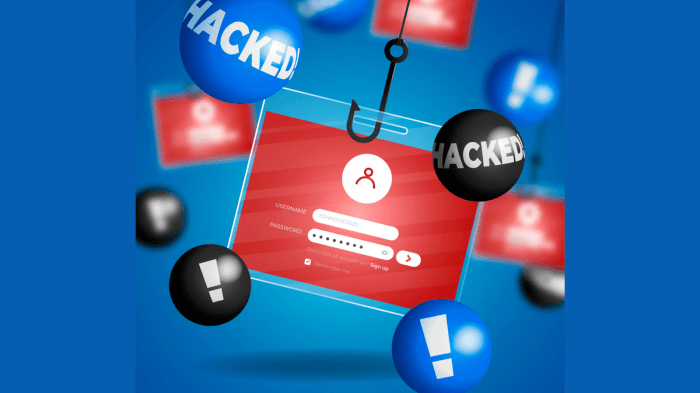
By implementing the strategies Artikeld in this guide, you significantly reduce your vulnerability to hacking and online threats. Remember, consistent vigilance and proactive security measures are crucial in maintaining a secure online environment. Regularly review and update your security practices to adapt to the ever-changing threat landscape. Proactive security isn’t just about technology; it’s about informed decision-making and responsible online behavior.